One account, as many separate worlds as you need
A workspace of its own for every client — with its own modules, its own currency and its own permissions. Separate data, one sign-in.
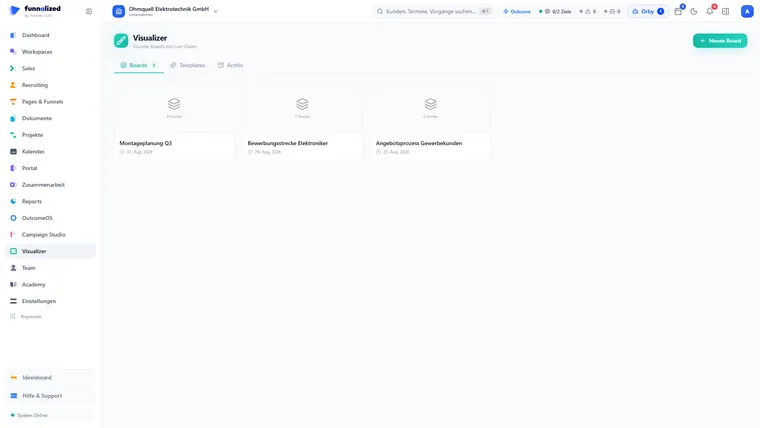
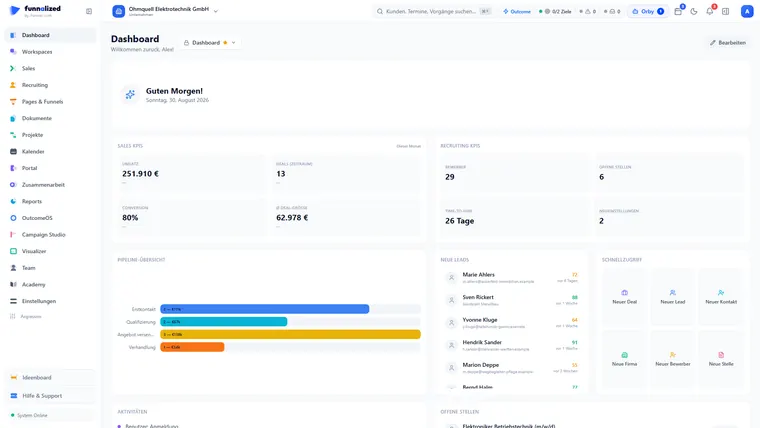
Screens from a demo workspace. Companies, people and figures are fictitious.
Workspaces at work
Six capabilities that together answer one question: how do you set up a new client without building everything again — and without their data ever touching anyone else’s?
Company or agency — with your clients underneath
When you create a workspace you decide what it is: a company for internal teams and projects, or an agency that manages clients. Only the main workspace may create more — the client workspaces sit underneath it. Two levels, and that is where it stops: arbitrary nesting looks good on a slide and is a source of mistakes in daily use.
account → main workspace → client workspaces. Deliberately no deeper.
Build the new workspace from an existing one
Two ways into a new workspace: with the standard setup (it creates six automations, three sequences and three blueprints), or as a copy of an existing workspace. For a copy you choose per category: sales and recruiting pipelines, roles and permissions, automations, sequences, blueprints, email templates, quote and contract templates, custom fields with their layouts, saved views, content tags and company details. References are rewritten rather than dragged along — and anything that could not be resolved appears as a named warning in the result report instead of being quietly wrong.
across 16 tables — you tick what comes along
Members come along — with the role you give them
While creating the workspace you pick from the source workspace who comes along — each with the role they get there. Ownership can be handed to a team member later without rebuilding anything. The fine-grained permissions stay where they belong: in the team module, and they apply per workspace.
owner, administrator, manager, editor, viewer
Eleven modules you switch on per workspace
A client you only run campaigns for does not need recruiting. Eleven modules can be switched on per workspace: marketing, sales, recruiting, funnels, documents, projects, customer portal, collaboration, reports, automations and OutcomeOS. The ones you switch off leave that workspace’s navigation — the interface gets smaller, not merely greyer.
what a workspace does not need, nobody there sees
Every workspace counts in its own currency and its own time
A Swiss client counts in francs; a client in Dubai works in another time zone — you set both per workspace, not globally. Add a name, a short tag and one of ten colours: the colour rides on the workspace switcher, and it is the reason nobody accidentally works in the wrong client.
plus ten colours, so you see where you are when you switch
What it costs is settled before it exists
If you belong to several accounts you first choose which one owns the workspace — that decides who pays for it. Funnalized then says whether it is included in the plan or costs extra, and you confirm explicitly. If the plan status cannot be loaded, nothing is created at all: a workspace whose price nobody knows is worse than one that does not exist.
nothing is created while the cost is unknown
What Workspaces receives and passes on
Team & permissions governs WHO may do what inside a workspace. Workspaces governs WHICH workspaces exist at all and what applies inside them.
Everything that is in it
44 capabilities in 6 groups — complete, not curated.
What it does not do
Every limit names the place where it happens instead.
- No reporting across several workspaces
A dashboard and a report show exactly one workspace. An agency sees its clients one after another, not added up on a single sheet.
- No arbitrarily deep nesting
Account → main workspace → client workspaces. Two levels, and that is a decision, not a backlog item.
- No permission management here
Who may do what inside a workspace is the team module’s job — down to the single row, and separately per workspace.
- No moving data between workspaces
What gets carried over is the SETUP (pipelines, roles, templates), not the records. Contacts and deals stay where they were created.
What teams want to know beforehand
Can my clients see each other?
No. Every record belongs to exactly one workspace — contacts, deals, applications, documents, permissions. There is no view that joins two workspaces and no search that reaches across the boundary.
Do I have to set everything up again for each client?
No. While creating you copy an existing workspace and tick, across twelve categories, what comes along — pipelines, roles, automations, templates, custom fields. References are rewritten to point at the new workspace.
What does an additional workspace cost?
That depends on the plan and is stated on the pricing page. What matters day to day: Funnalized tells you BEFORE it is created, and a billable workspace only comes into being with an explicit confirmation.
Can I delete a workspace again?
Yes — the owner can schedule it for deletion. There is a 30-day window in which it stays usable and the deletion can be revoked with one click. You type the name to confirm. Before that you can export the entire workspace as JSON.
Does everything switch when I change workspace?
Yes. Switching in the top right swaps the entire body of data — sales, recruiting, projects, reports, all of it. Which modules appear in a workspace at all is set per workspace: eleven can be switched on and off individually.
How many workspaces are possible?
Up to a hundred per account. At most five can be created per hour — a brake against accidental bulk creation, not against real demand.
Workspaces is one of 21. You get all of them.
Sign up and you'll hear from us the moment we go live. Not a newsletter — one message.
€50€150/ month · permanently
Only your email address. No spam, unsubscribe at any time.