Help without searching your mailbox
Raise your issue, follow it as a live chat, see the status at any time — no email ping-pong, no second sign-in.
Screens from a demo workspace. Companies, people and figures are fictitious.
Help & support at work
Four capabilities people actually open Support for. Everything else it can do is listed in full in section 04 — this is only what stands on its own.
A ticket in seconds, with a fixed number
Subject, category, priority — nothing more is needed. Every ticket immediately gets a fixed, sequential number — SUP-00042, for instance — that you and we both refer to, and your description becomes the first message in the chat straight away. No new account, no external portal, no signing in elsewhere.
a fixed, consecutive number that you and we both refer to
The thread as a live chat
Question and answer run as a chat inside the ticket, with attachments for screenshots and files. You even see when somebody from the team is typing. Everything about one issue stays in one place — nothing trickles away into scattered email threads.
visible in real time, all in one place instead of scattered email threads
Nothing goes under
New replies are marked as unread immediately — with a counter right in the sidebar. Tickets that have just moved rise up the list, so you know at a glance which issue is waiting for you — right in the app, without switching to your email.
new replies with a counter in the sidebar, freshly moved tickets at the top
Status always visible
reply to a waiting ticket and it jumps back on its own
Open, in progress, waiting for a reply, resolved, closed: you see at any time what it is waiting on and whose move it is. If you reply to a waiting ticket, it jumps back to “open” automatically — nothing is accidentally left lying.
Paths that run through here
A ticket hangs off the workspace it came from — with version, module and record. That is why nobody has to describe where they were.
What Help & support receives and passes on
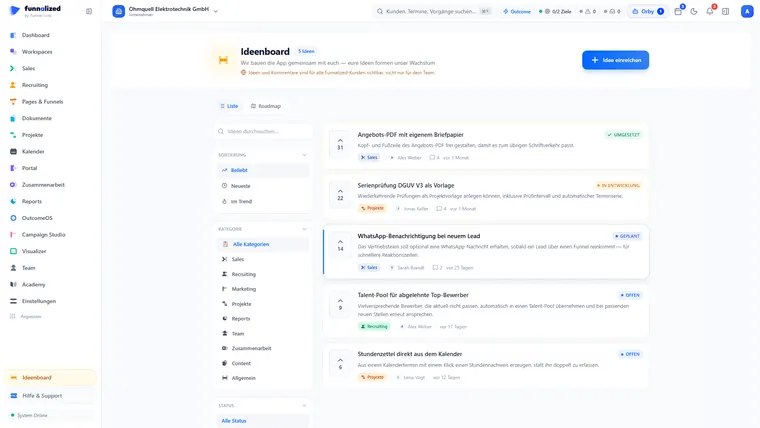
Support deals with what does not work. What is missing and should be built belongs in the idea board.
Everything that is in it
15 capabilities in 3 groups — complete, not curated.
What it does not do
Every limit names the place where it happens instead.
- No phone support.
Everything runs through the ticket with a fixed number and visible status. A phone call leaves no history the next person can read.
- No email support.
An email chain loses attachments, history and ownership. The ticket loses none of it.
- We do not look in unasked.
If we need a closer look we ask, and you grant it for a limited time. The access is in the audit trail afterwards.
What teams want to know beforehand
How fast do I get an answer?
You choose the priority when you create it, and the status is visible at any time — instead of a promise nobody can verify.
Can I reopen a closed ticket?
Yes. If it was not solved, it was not solved — reopening hangs off the same history, not off a new ticket.
Does support look into my workspace?
To work on your ticket, yes — and create or correct things there if needed. Every access is recorded in the ticket history, ends with the ticket, and you can end it earlier at any time. On request you get a report of everything that was discussed and done. Anything beyond that we ask for, and you decide whether at all, and with which of your own roles.
Help & support is one of 21. You get all of them.
Sign up and you'll hear from us the moment we go live. Not a newsletter — one message.
€50€150/ month · permanently
Only your email address. No spam, unsubscribe at any time.