Recruiting software for the whole journey: advertise, hire, onboard — GDPR already inside
From the first click to the first working day — in one single file.
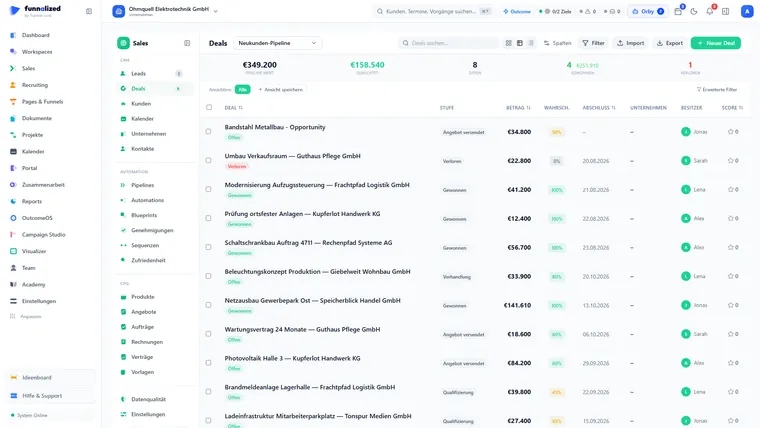
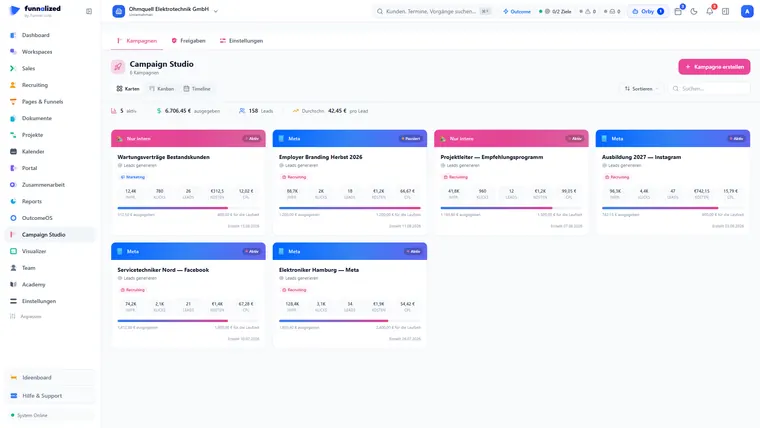
Screens from a demo workspace. Companies, people and figures are fictitious.
Recruiting at work
Five capabilities people actually open Recruiting for. Everything else it can do is listed in full in section 04 — this is only what stands on its own.
A job that brings its own application route
Job family and location set what many jobs have in common, the questions come from your attribute library, and the application route comes into being with the job, in your company’s look. Before publishing, a list tells you what is still missing. Improve the job later and the route follows — and the link you shared stays the same.
applies to every job in the job family — you see beforehand which ones change
Interviews that coordinate themselves
You propose times, the candidate does the rest: confirm, decline or reschedule via a link, with the appointment attached as a file for their own calendar app. Invitation, rescheduling and cancellation go out from your own templates, and whoever from the team sits in on the interview accepts in the app. The confirmed slot syncs both ways with Google and Outlook.
syncs both ways with the team calendar
Offer signed via link — onboarding is already running
Contract offers with their own number range, signed digitally via a link, optionally secured with an emailed code; above your salary threshold they go for approval first. Once the candidate accepts, onboarding starts by itself: a portal in your own look with tasks, uploads and the start date taken from the offer.
and secured with an email code as well, if you want it
Talent pool instead of a rejection dead end
The runner-up is rarely bad — just not right at that moment. With consent they stay findable in the talent pool, and when the next role opens it shows you who from there fits. Each entry carries its own retention period; when it expires the record is anonymised rather than quietly left lying around.
and when it passes the record is anonymised instead of quietly sitting there
Assessments: scored automatically, decided by people
Standardised tests built from fourteen question types. Multiple choice and yes/no are scored the moment the candidate submits; if someone switches window during the test or pastes text in, that goes into the log. But no score rejects anyone on its own — the decision stays with you (Article 22 GDPR).
but no score decides on its own — that stays with you (Art. 22 GDPR)
Paths that run through here
Role, application, person and appointment are one single connected record. Whatever a neighbouring module contributes hangs off that same record — nothing is transferred, because there is nothing to transfer.
From an application to a hire
What Recruiting receives and passes on
Recruiting carries an application from the ad to onboarding. The path someone applies through, and the page it lives on, belong to Pages & Funnels.
Everything that is in it
90 capabilities in 9 groups — complete, not curated.
What it does not do
Every limit names the place where it happens instead.
- No payroll.
The path ends at the signed offer and onboarding. Payroll stays where you run it today.
- No publishing to external job boards.
The role appears on your own careers page and can be run as a Meta ad. There is no distribution to Indeed or StepStone.
- The test does not decide.
Assessments are scored automatically and the score explains itself. Rejections and offers are made by a person — that is a decision, not a missing feature.
What teams want to know beforehand
Do candidates need an account with us?
No. Applying, picking a slot, taking the assessment and signing the offer all run through time-limited links. There is no candidate password anyone could forget.
How long may we keep candidate data?
You set the period per role; six months after closing is the usual choice. After that it is deleted, not hidden — with evidence. Anyone who wants to stay in the talent pool consents to that separately.
Can several people rate the same application?
Yes, and they only see each other’s rating after submitting their own. That is the point: otherwise the second opinion is not one.
What happens to rejections?
They go out from a template, in your tone, and only when they are allowed to — the guard holds messages back while the record does not permit them. Anyone who fits but not right now lands in the talent pool instead of a dead end.
Does the candidate see where they stand?
If you want them to. Switch on the status link and the candidate receives a personal link with the acknowledgement of receipt, showing four rough steps: received, viewed, interview, decision. Ratings, notes and the names of your internal stages stay hidden. Switch it off again and every link already sent goes quiet at once.
All 90 entries as a list
Jobs: maintained once, right everywhere 14
- Job families and locations set the defaults What many jobs have in common — description, benefits, salary, template — you maintain once on the job family; address, contact person and images on the location. You save a change as a draft first, see its effect beforehand — which jobs it affects — and then apply it deliberately; every application is kept in the history. You undo the most recent one, and single jobs are released with a click.
- One job at several locations Create a job at several locations and, if you wish, you maintain its content together: the jobs form one of the job groups, each keeps its place, and the text is changed once — with the same preview and the same undo as on the job family.
- Job approvals, even without an account If a job needs approval, going live sends it there first. You pass the decision on to your client or the department with an approval link: they see the job without an account exactly as candidates see it, and approve it or ask for a change. Open approval links can be revoked at any time.
- Many jobs at once Job import from an Excel or CSV file — with a preview of the columns before anything is created —, and an existing ad you read out from text or a link, without AI. In the jobs table you change several jobs in one go: the preview first, then the task runs in the background.
- Every field of the job shows where its value comes from, and the differences from job family and location are visible at a glance
- You create locations from the company address or from suggestions drawn from the places of your existing jobs
- Jobs, job families and locations in further languages too — per language as a draft or finished
- A job can be duplicated, straight to further locations if you like
- A sample job to try things out, which you take over as a real job with one click
- “Get started”: a guide through the first steps that always leads into the real editor
- Job texts and questions get equal-treatment (AGG) notes with a suggestion — nothing is ever forbidden
- Standard routines per job family: set up the fitting automations once, and they apply to every job in it
- Job reconciliation through your connections to Personio or Softgarden: reconcile right away or hourly by itself if you wish, take over or ignore external jobs — if one disappears there, Funnalized notices
- Agency library: the agency maintains job families once and distributes them to its client workspaces; there every version can be applied, discarded or released, and the client’s own deviations remain
Questions, builder, preview — every job’s route 7
- Questions from the attribute library You put a job’s questions together from the attribute library — sorted by industry; attributes of your own are added and can be archived. Per question you decide whether it is a must-have requirement or awards points; whoever misses a must is flagged, and a person decides. You edit every question in the same question editor, and the application route always asks the job’s current state.
- One builder for careers page, funnel and job route The careers page, every funnel and every job’s application route you build in the same builder, with the same settings bar. Job blocks show title, location, benefits and images from the job — in the job preview with the values of a real job, empty blocks faded.
- See what applies live — on every device Phone, tablet and desktop in one device frame with real dimensions. The job preview also shows the careers page, the application and the ad in views of their own — exactly as they apply live, even before you save.
- Knock-out ends: whoever gives a disqualifying answer lands on an end of its own — it is still counted, without any submission if you wish
- A multi-job funnel for several jobs: one submission, a separate application for each job chosen — the record shows the others from the same submission
- Application forms you cut yourself Which fields an application asks for is up to you: you save input blocks as a form, and one form serves several jobs and funnels at once — before saving, its usage shows how many it sits in. What you build once you do not have to click together again per job.
- The consent question is switched on in every new funnel from the start
Publish and see what it brings 9
- Status effect: see beforehand what a change does Set a job to filled or paused and the button shows you beforehand what happens: the job disappears from the careers page, the application funnel shows a notice instead of the form, linked Meta campaigns are paused. If the change needs approval, that is shown beforehand too.
- The job’s application cockpit Where the application runs — careers page, direct link, your own domain, ad variant — with a copyable address and a QR code, which tracking applies, and the numbers across all of the job’s channels together. The ad variant is an address of its own just for the ad, so paid clicks do not disappear in the rest of the traffic.
- The funnel chain per job From the start of the application through completion and the interview to the hire — per source and per campaign, over the period you choose. You compare job families and locations side by side; where nothing has been measured yet, there is no invented zero.
- Talent pool matches for the job For every job you see who from the talent pool fits — by its requirements and by place, region or anywhere. Only people with explicit consent, and a match is a suggestion: nothing is sent, you decide.
- From the job comes a Meta ad and campaign draft, with text and images from the job
- Which attributes your candidates bring, as an evaluation per job family and location — numbers only, no people
- Employee referrals: everyone in the team has their own link to every live job, and the application shows the referrer
- One person, several applications: the record shows further applications by the same person, lists count them — nothing is merged
- Recruiting in five areas — jobs, candidates, careers page, evaluation, setup —, with counters for new candidates and open approvals, for instance
Advertise, hire, onboard — without switching tools 14
- A job that brings its own application route Job family and location set what many jobs have in common, the questions come from your attribute library, and the application route comes into being with the job, in your company’s look. Before publishing, a list tells you what is still missing. Improve the job later and the route follows — and the link you shared stays the same.
- One template every job draws from You build application routes once as a template — steps, design, upfront questions — and every new job draws from it. Change the template later and a preview shows you beforehand which jobs it affects; then every route that lives off it follows: no link changes, no application already received is lost. What you changed on a route yourself stays as it is.
- One board where every application comes together Every job has its own pipeline from application to acceptance — filled from the application route, a recruiting campaign or your import. You move candidates along with the mouse; required fields and a hiring approval secure every stage change. Filters, metrics and the search by name, email or job title reach across your entire pool, not just the page you can see.
- Offer signed via link — onboarding is already running Contract offers with their own number range, signed digitally via a link, optionally secured with an emailed code; above your salary threshold they go for approval first. Once the candidate accepts, onboarding starts by itself: a portal in your own look with tasks, uploads and the start date taken from the offer.
- Every job automatically creates its application route at a fixed address
- Application, assessment, interview and offer hang on one profile
- The accepted offer starts onboarding without prompting (with a template in place)
- Text blocks the posting is built from Company intro, responsibilities, requirements, benefits and the legal text sit ready as reusable blocks, per language. You assemble a new posting from them instead of copying the last one and forgetting half of it.
- You put the careers page live with one click — and take it offline again the same way
- An application route you changed by hand you reset deliberately to the state of the template
- What the candidate uploads for an onboarding task you can see and download on the case
- An accepted offer you countersign digitally — with a record of address and device
- Templates of your own for contract offers, with the content and layout you design — the offer goes out with the email as a PDF
- The invitation goes out with a calendar file; send it again and Outlook and Gmail read it as a change rather than a second invitation
Your candidates do the rest themselves — without an account 9
- Interviews that coordinate themselves You propose times, the candidate does the rest: confirm, decline or reschedule via a link, with the appointment attached as a file for their own calendar app. Invitation, rescheduling and cancellation go out from your own templates, and whoever from the team sits in on the interview accepts in the app. The confirmed slot syncs both ways with Google and Outlook.
- Every message from a template — and only if it may go out Fourteen ready-made templates cover the path from the acknowledgement of receipt through interview, assessment and offer to the talent pool; placeholders such as name, job and appointment fill themselves from the record, and you add your own templates. Before every send consent is checked — anyone who has objected gets no email. Multi-step follow-up runs as a sequence that, if you wish, stops as soon as someone is hired, rejected or booked for an interview.
- Ask how the application felt NPS, CSAT and CES surveys to candidates, in a candidate feedback area of its own — separate from the customer surveys and with its own permission. The answer shows up in the candidate record, and a recruiting automation sends the survey, after a rejection for instance, or reacts to the answer.
- Accept, decline and reschedule the interview from the link in the invitation
- Sign the offer digitally, optionally secured with an emailed code
- Onboarding tasks in the candidate portal, in your own look
- How far the application has got — by status link Switch it on and every candidate receives a personal status link with the acknowledgement of receipt: four rough steps from “received” to “decision”, without ratings and without your internal stage names. Switch it off and every link already sent goes quiet at once.
- How many visitors the careers page gets, where they come from, what they click and how many apply
- The Meta pixel and the Conversions API you connect to the careers page to measure application ads
Decide objectively and verifiably 8
- Assessments: scored automatically, decided by people Standardised tests built from fourteen question types. Multiple choice and yes/no are scored the moment the candidate submits; if someone switches window during the test or pastes text in, that goes into the log. But no score rejects anyone on its own — the decision stays with you (Article 22 GDPR).
- A score that explains itself — and fair interviews The score shows more than a bare number: which rule contributed how many points. In an interview, other people’s feedback only becomes visible once you have submitted your own. Overriding by hand and star ratings remain available at any time.
- The score shows which rule contributed what — no black box
- Other people’s interview feedback only appears after your own
- Where a question needs human judgement, the score never decides alone
- Points per question — the answer stays as it came Answers the system cannot score itself — free text or an uploaded file — you rate with points per question; the candidate’s answer stays untouched, and in the end a single score counts. A free task — a coding challenge, say — you rate by hand with a score, a pass status and a note, correctable afterwards.
- Every candidate who took the same test side by side, sortable, with the average and the pass rate
- The evaluation of a test you download as a PDF — with score, status and all the answers
GDPR is part of the process, not a checklist beside it 8
- GDPR is built in, not bolted on The consent record, with time and origin, is written in the same step as the candidate — either both or neither of them. Retention periods run along in the background and anonymise on expiry by themselves, and nobody enters the talent pool without explicit consent.
- A clean pool, deletion you can prove A section of its own keeps the data in order: merge duplicates — activities, interviews and offers move along —, a recycle bin instead of permanent deletion, import from a file, an audit trail. Access and deletion requests run as a case with a log, and whoever approved a deletion may not carry it out themselves.
- Talent pool instead of a rejection dead end The runner-up is rarely bad — just not right at that moment. With consent they stay findable in the talent pool, and when the next role opens it shows you who from there fits. Each entry carries its own retention period; when it expires the record is anonymised rather than quietly left lying around.
- The consent record is created together with the candidate — both or neither
- Retention periods anonymise automatically on expiry
- Talent pool only with the candidate’s explicit consent
- A single candidate you delete completely and irreversibly — including files, notes and emails
- A check run (scan) finds missing mandatory details in your records and moves rejected candidates with consent into the talent pool
What keeps running without you 8
- 28 actions and 53 ready-made rules From „application received“ to „offer about to expire“ the app listens for events across the whole process and can do 28 things about them: change a stage, assign a recruiter, schedule an interview, send an assessment, send an offer, send a feedback survey, start onboarding, add someone to the talent pool — or anonymise a person. If you would rather not start from nothing, take one of the 53 templates and change it.
- Application templates: ours and yours A template that ships with the app you open straight in the builder; saving creates your own version and leaves the original untouched. One of them becomes your workspace default; every new job draws on it instead of starting on an empty page.
- Export wears the same mask as the list The bulk export shows exactly what the role is allowed to see in the list — the field mask reaches into the column headers, so a blocked field does not even appear as a column. And it is throttled separately, so no single account can carry out the whole database in minutes.
- Approval policies for offers above a threshold — sending pauses until the responsible role decides
- A bin with restore, one application at a time or several at once
- A protocol shows what happened to an application — stage changes, deletion, anonymisation
- On a task you write comments and read back the discussion so far
- Earlier candidate imports are there as a list, with the success and error counts per run
What you set up yourself 13
- You build the pipelines and the stages A pipeline of its own per job, and you create the stages inside it: with a colour, an order and a target duration, so it becomes visible where things stall. Each stage can fire an email or task template, and you decide whether it counts as active, hired, rejected, withdrawn or on hold.
- The scoring rules and the tiers behind them Which event awards how many points is yours to write — with conditions, switchable off one at a time, in your order, with minus points too and with points for the case that a condition does not apply. A rule can also set the score outright, a condition on the pipeline stage counts later stages as well if you wish, and the score stays between 0 and 100. You also set the thresholds: which score puts a candidate into which tier, and what those tiers are called and look like.
- Custom fields for four kinds of object Candidates, jobs, interviews and offers get fields you create yourself — with a type, a required flag and a default. Per field you decide whether it appears in the form, stands as a column in the list, and whether it is visible on the public careers page.
- Scorecards with your criteria For interviews you create your own scorecards, with criteria you name yourself. One counts as the default, others you attach to particular jobs — the interview pulls the fitting one by itself.
- Your value lists, not ours Reasons for rejection, withdrawal and putting a case on hold, roles in the hiring team, candidate sources with a colour and an icon, tags for candidates and for jobs — you maintain all of them. Rename a tag and it travels through the whole database.
- Job ad templates and several design sets The content of a job ad — title, department, location, employment type, description — sits ready as a reusable template, one of them as the default. And instead of a single company design you save several named sets of logo, colours and typeface and pick one per appearance.
- Distribute in turn: new applications go automatically to a round of recruiters, with a fallback account
- Inactivity rules per action: after this many days mark it, send a reminder or put it on ice — a run every six hours
- Your own domain for the pages where offers are signed and assessments are taken — the link in the email then carries your address
- Email signatures of your own that apply when you write from a candidate profile
- A number format of your own not only for contract offers but for employment contracts as well
- Who changed which setting, and when, is in the log
- Delete a tag from the value list and it disappears from every record that carried it
Recruiting is one of 21. You get all of them.
Sign up and you'll hear from us the moment we go live. Not a newsletter — one message.
€50€150/ month · permanently
Only your email address. No spam, unsubscribe at any time.