Won deals become delivered projects
Tasks, sprints, kanban and time tracking in one record — an automation turns the won deal into the project.
Screens from a demo workspace. Companies, people and figures are fictitious.
Projects at work
Four capabilities people actually open Projects for. Everything else it can do is listed in full in section 04 — this is only what stands on its own.
Four views, one set of data
List, kanban board, calendar and timeline all reach into the same tasks — the timeline even draws the dependencies. Which card fields and columns are visible is yours to set per view, and your setting is remembered.
one set of data — list, kanban, calendar, timeline
Sprints and velocity
Plan in iterations with a goal and a timeframe. Pull tasks from the backlog into the sprint, start it and close it — progress, completed against planned points and velocity are live in front of you. Closed sprints move into the archive automatically if you want them to.
points done against points planned, and velocity, visible straight away
Time tracked at the task
Book hours exactly where the work happens — to the day, with a note, on the individual task. The total flows back into the task and into the reports by itself: the clean basis for billing and workload, not a separate timesheet.
flows back into the task and the reports automatically — no separate timesheet
Tasks with a system behind them
bug, feature, spike, refactor and design — title, priority and labels prefilled
Subtasks, checklists, dependencies, priorities, several assignees and custom fields — and every task carries its own reference like OPS-14, which you call by name in the meeting, in the chat and in every follow-up question. Five templates — bug, feature, spike, refactor and design — pre-fill title, priority and labels for you.
Paths that run through here
Project, task, time and person hang off ONE record — and off the customer whose deal the project came from. There is nothing to transfer.
What Projects receives and passes on
Projects carries the work after the deal — tasks, sprints, hours. Everything before that, from lead to signed quote, belongs to Sales & CRM.
Everything that is in it
23 capabilities in 5 groups — complete, not curated.
What it does not do
Every limit names the place where it happens instead.
- Hours do not become invoices.
Hours are logged on the task and evaluated. You write the invoice in Sales & CRM; there is no automatic bridge.
- Capacity applies per sprint.
Utilisation and capacity are planned inside the sprint. There is no resource planning across all projects at once.
- The client does not work inside the project.
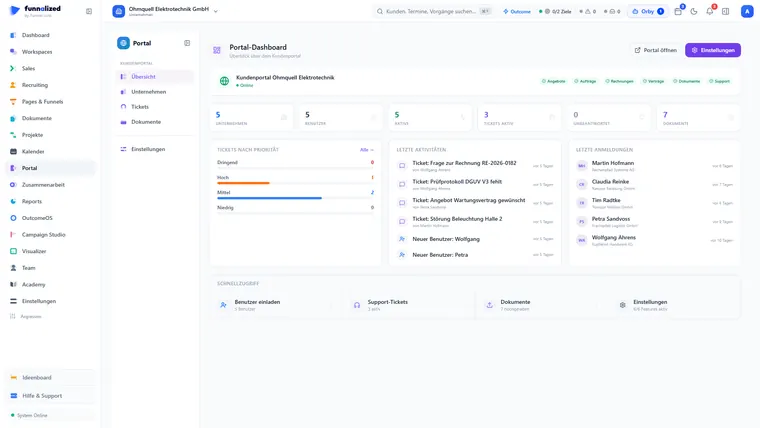
They see the status in the customer portal. Tasks, sprints and hours stay internal — that is a decision, not a gap.
What teams want to know beforehand
Can I create tasks from a template?
Yes. A project can come from a blueprint, and that brings tasks, order and ownership with it. Whatever deviates afterwards does not change the template.
Do colleagues see the hours I log?
Only whoever has the permission. Your own time tracking is yours by default; anyone who needs team-wide evaluation gets that granted explicitly.
What if we do not work in sprints at all?
Then leave them out. Tasks, board and time tracking work without them; sprints and velocity are an addition, not a prerequisite.
Can we add our own fields?
Yes — your own fields, labels and your own estimation unit per project. They are then available in filters and reports, not just in the form.
Projects is one of 21. You get all of them.
Sign up and you'll hear from us the moment we go live. Not a newsletter — one message.
€50€150/ month · permanently
Only your email address. No spam, unsubscribe at any time.