The CRM that doesn’t stop at the deal — from first contact to paid invoice
One record from lead to invoice — no second tool for quotes, signatures and payments.
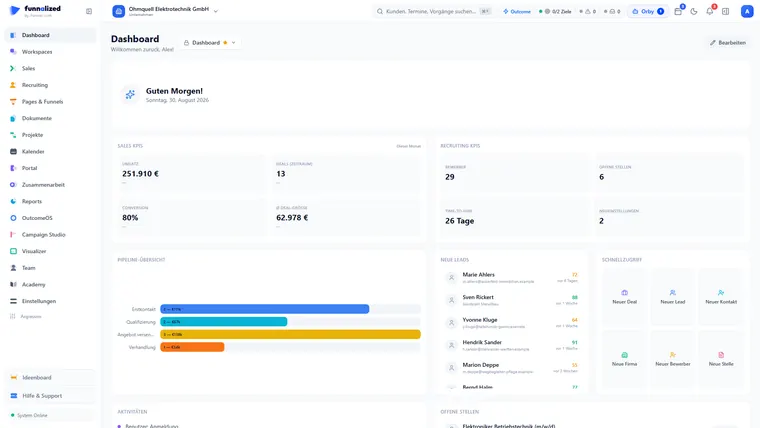
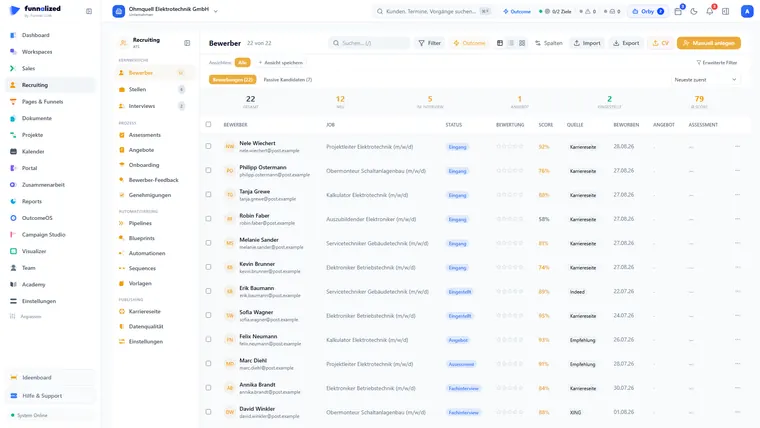
Screens from a demo workspace. Companies, people and figures are fictitious.
Sales & CRM at work
Five capabilities people actually open Sales & CRM for. Everything else it can do is listed in full in section 04 — this is only what stands on its own.
Lead → deal → customer: one record, no retyping
A qualified lead becomes a deal — including contact and company — with one click: all of it together or none of it, never a half-created customer. Notes, tasks, files, emails and appointments come along if you want them to, and running sequences move onto the deal instead of breaking off. The lead itself stays, linked, as the origin.
and the deal carries contact, company and origin — all of it or none of it
Quotes and invoices — in the same system
Instead of opening Word you build the quote from your product catalogue. Customer, company and volume prices are pulled automatically, discounts are distributed cleanly and VAT is calculated to the cent under §14 of the German VAT Act. One click turns it into the order or the invoice — with a sequential number and no gap in the series.
tax to the cent, consecutive numbering, no gap in the number range
Blueprints — processes that actually get followed
Attach a checklist to each stage change, with mandatory steps, a required note or a role-based approval. A deal then does not simply move on; it moves once what is needed is done and approved — whether someone clicks the button or drags the card on the board.
while a required step, a required note or an approval is still open
Customer health with early warning
Care starts after the close: every customer’s health score is updated daily. If it falls three readings in a row, the system tells you and your management — before the customer cancels, not after. The command centre brings nineteen sources together into a single customer timeline.
the command centre pulls into a single customer timeline
Signed digitally — documented without gaps
Send the quote as a link — your customer opens it without signing in, optionally confirms with a code sent to their stored email address, and signs directly in the document. Every signature records IP address, timestamp and checksum; you countersign as the provider, and the document status follows automatically.
is recorded for every signature; the document status follows automatically
Paths that run through here
Lead, contact, company, deal and customer are ONE connected record. Whatever a neighbouring module contributes hangs off that same record — nothing is transferred, because there is nothing to transfer.
From an ad to a customer
From a quote to an order
From a won deal to a project
What Sales & CRM receives and passes on
Sales carries the record from lead to paid invoice. If you want to build a repeatable analysis from it, export it or have it sent on a schedule, that is Reports.
Everything that is in it
63 capabilities in 7 groups — complete, not curated.
What it does not do
Every limit names the place where it happens instead.
- No inventory management.
The product catalogue knows prices, discounts and tiers — not stock levels. If you carry goods, you keep carrying them where you do today.
- Payments are recorded, not collected.
There is no bank reconciliation and no direct debit inside the document. Incoming payment is marked; dunning runs automatically.
- No bookkeeping.
Invoices are created here and leave as a DATEV export to your tax advisor. The posting happens there, not here.
What teams want to know beforehand
Can I import my existing customers?
Yes, via CSV — and the import finds duplicates by email, phone and company name before creating them. You can merge them at any point afterwards without losing any links.
Does Funnalized send email as me, or from some address of its own?
From your own mailbox. You connect it once; after that messages go out with your sender address and land in your own sent items. Replies attach to the right record.
What happens to an invoice that went out wrong?
It is cancelled, not deleted. Number ranges continue without a gap, the cancellation stands beside it as its own document, and both remain in the audit trail. Drafts may be deleted; issued documents may not.
Is the digital signature legally worth anything?
It is a simple electronic signature with evidence: IP, timestamp, checksum and audit entry, optionally with a code sent to the address on file. It is not meant for cases where the law demands a stricter form.
Does everyone on the team see every customer?
Only if you set it up that way. Permissions go down to the individual record and the individual field, and bulk changes can be put behind a second pair of eyes.
Sales & CRM is one of 21. You get all of them.
Sign up and you'll hear from us the moment we go live. Not a newsletter — one message.
€50€150/ month · permanently
Only your email address. No spam, unsubscribe at any time.